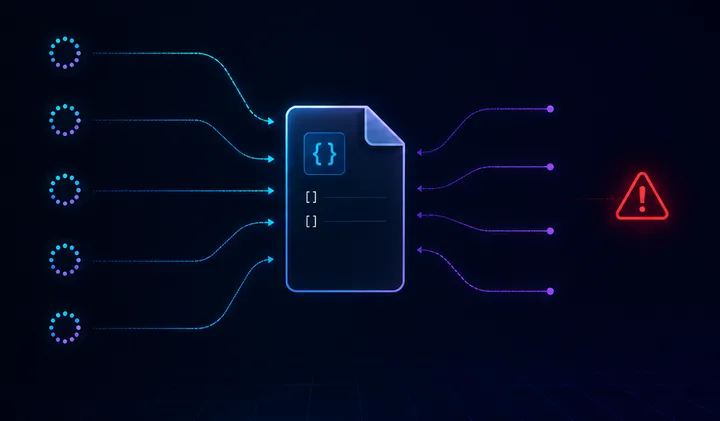
Post 1 of the series: Advanced C# for Your Next Interview
The Idea Behind This Series
Senior .NET interviews often go beyond “explain async/await”. You get asked about SemaphoreSlim vs ReaderWriterLockSlim, when to use ValueTask instead of Task, how System.IO.Pipelines differs from a regular Stream, and what Span<T> actually does to allocations.
The problem with studying these topics in isolation is that it is hard to feel why they matter. So instead of going through them one by one in theory, we are going to build something real: a simple file-based storage, and let each problem justify the next solution.
Each post in this series takes the previous version, breaks it under load, and fixes it with one new concept. By the end, you will have working code that touches SemaphoreSlim, IAsyncEnumerable, Span<T>, ArrayPool, Channel<T>, System.IO.Pipelines, ValueTask, and Source Generators: all in context, all for a reason.
What We Are Building
A CRUD storage that saves records to a file. The interface is the same across all versions:
public interface IFileStorage<T>
{
    Task WriteAsync(T record, CancellationToken ct = default);
    Task<T?> FindAsync(Guid id, CancellationToken ct = default);
    Task DeleteAsync(Guid id, CancellationToken ct = default);
    IAsyncEnumerable<T> ReadAllAsync(CancellationToken ct = default);
}
And the record we are storing:
public record FileRecord(
    Guid Id,
    string Name,
    string Payload,
    DateTime CreatedAt
);
Simple. Every version of the storage implements the same interface, which makes it easy to swap implementations in benchmarks and stress tests.
Version 01 — The Naive Implementation
The first version does exactly what you would expect. Read the file, deserialize, add a record, serialize back, write the file.
public class NaiveFileStorage : IFileStorage<FileRecord>
{
    private readonly string _filePath;

    public NaiveFileStorage(string filePath)
    {
        _filePath = filePath;

        if (!File.Exists(_filePath))
            File.WriteAllText(_filePath, "[]");
    }

    public async Task WriteAsync(FileRecord record, CancellationToken ct = default)
    {
        var json = await File.ReadAllTextAsync(_filePath, ct);
        var records = JsonSerializer.Deserialize<List<FileRecord>>(json) ?? [];

        records.Add(record);

        await File.WriteAllTextAsync(_filePath, JsonSerializer.Serialize(records), ct);
    }
}
Clean, readable, fully async. At first glance there is nothing wrong here.
Running It Under Load
Let us launch 20 parallel writes and see what happens:
var tasks = Enumerable.Range(0, 20).Select(i =>
    storage.WriteAsync(
        new FileRecord(
            Guid.NewGuid(),
            $"Record-{i}",
            $"Data-{i}",
            DateTime.UtcNow))
).ToList();

await Task.WhenAll(tasks);
Output:
[FAIL] Record-15 didn't write: The process cannot access the file...
[FAIL] Record-0  didn't write: The process cannot access the file...
[FAIL] Record-3  didn't write: The process cannot access the file...
19 out of 20 records are gone.
Why This Happens
The root cause is a classic read-modify-write race condition.
All 20 tasks start simultaneously. Before any of them finishes writing, all of them read the file, and all of them see the same empty list:
[]Each task then adds its own record and tries to write [Record-X] back to disk. But File.WriteAllTextAsync opens the file exclusively. When multiple tasks try to write at the same moment, the OS refuses and throws an IOException.
Only the tasks that happened to write first succeed, and even they overwrite each other.
In theory, this pattern can also produce silent data loss. If the timing is slightly different and tasks do not collide on the write lock, they still overwrite each other without any exception. The last writer wins and the rest disappear without a trace.
In our case, Windows caught the collision and threw an error, which is actually the better outcome. At least you know something went wrong.
Async Is Not Synchronization
The important lesson is simple:
asyncmakes waiting non-blocking. It does not make shared state safe.
This code is async because it does not block a thread while file I/O is running. That is useful, but it says nothing about whether two operations are allowed to touch the same file at the same time.
The shared resource here is the file. Every write operation needs exclusive access to the whole read-modify-write sequence:
- Read the current file content.
- Deserialize existing records.
- Add the new record.
- Serialize the new collection.
- Write it back.
If another operation enters the same sequence in the middle, the result is no longer predictable.
What Comes Next
The first fix is to protect the critical section. In the next post, we will add SemaphoreSlim and make writes safe by allowing only one write operation to modify the file at a time.
That will solve the immediate corruption problem, but it will also introduce a new question: if one writer blocks everyone, what happens to reads?
That is where the storage starts becoming interesting.